How to Scan Receipts with a Mobile App
Scanning your receipts with a mobile app is one of the simplest ways to avoid losing your proof of purchase, find a receipt quickly, and make returns, warranties, or expense tracking easier.
Today, several apps let you take a photo of a paper receipt, automatically extract the key information, and store everything in one place. Some are primarily designed for accounting, while others — like ReFound — are built to help consumers better manage their everyday purchases, returns, and warranties.
Unlike several apps that simply scan or file receipts, ReFound also lets you use certain receipts directly in store thanks to the reproduction of the return barcode in the app. In many cases, you can complete a return using only your phone.
How does receipt scanning work with an app?
The process is generally very simple.
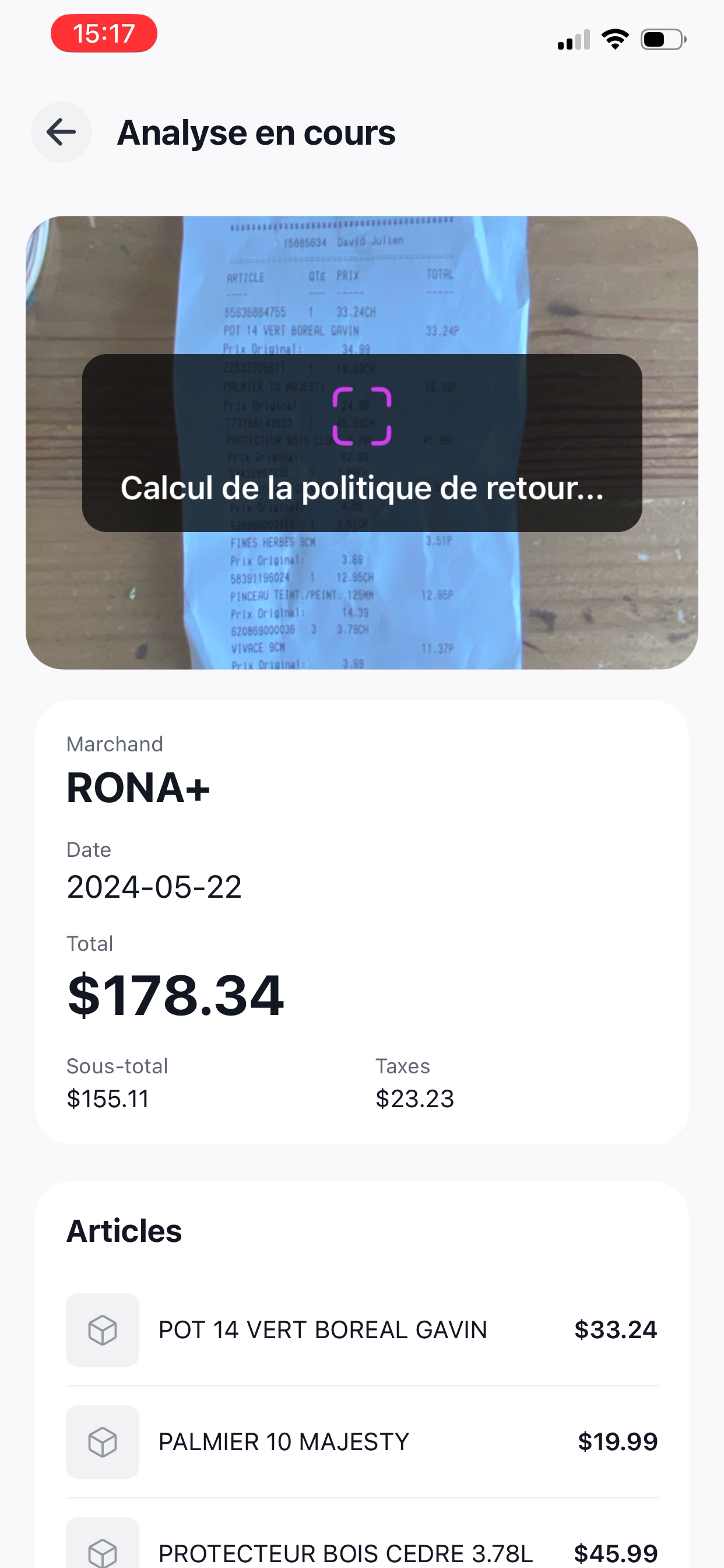
Open a receipt management or scanning app, then take a clear photo of the receipt with your phone. The app then uses optical character recognition, also called OCR, to read the receipt content and extract key information such as the merchant name, date, total amount, and sometimes taxes.
With an app like ReFound, the receipt doesn't just stay as a simple photo. The app transforms your receipts into clearer, smarter information — with product names, images, warranty information, and help with returns.
Steps to scan a receipt with a mobile app
Download a receipt app
Choose an app suited to your needs.
For business accounting, expense reports, or bookkeeping, tools like QuickBooks may be useful.
For personal use, in-store returns, warranties, and organizing everyday purchases, ReFound is an option designed for consumers.
Take a clear photo of the receipt
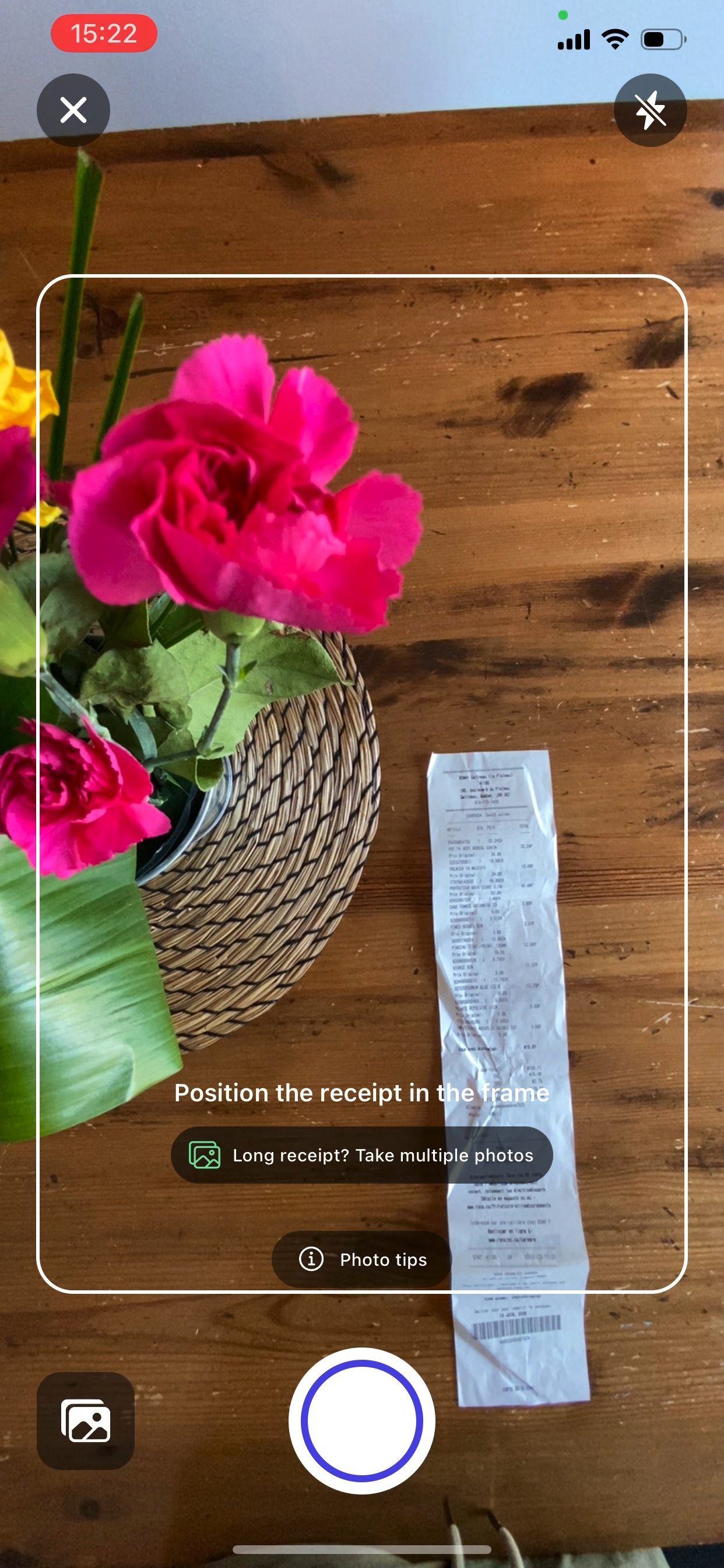
Place the receipt on a flat surface in a well-lit area. Make sure the receipt is complete and legible.
For long receipts, it may be helpful to take two or more photos to capture all the information.
Let the app analyze the receipt
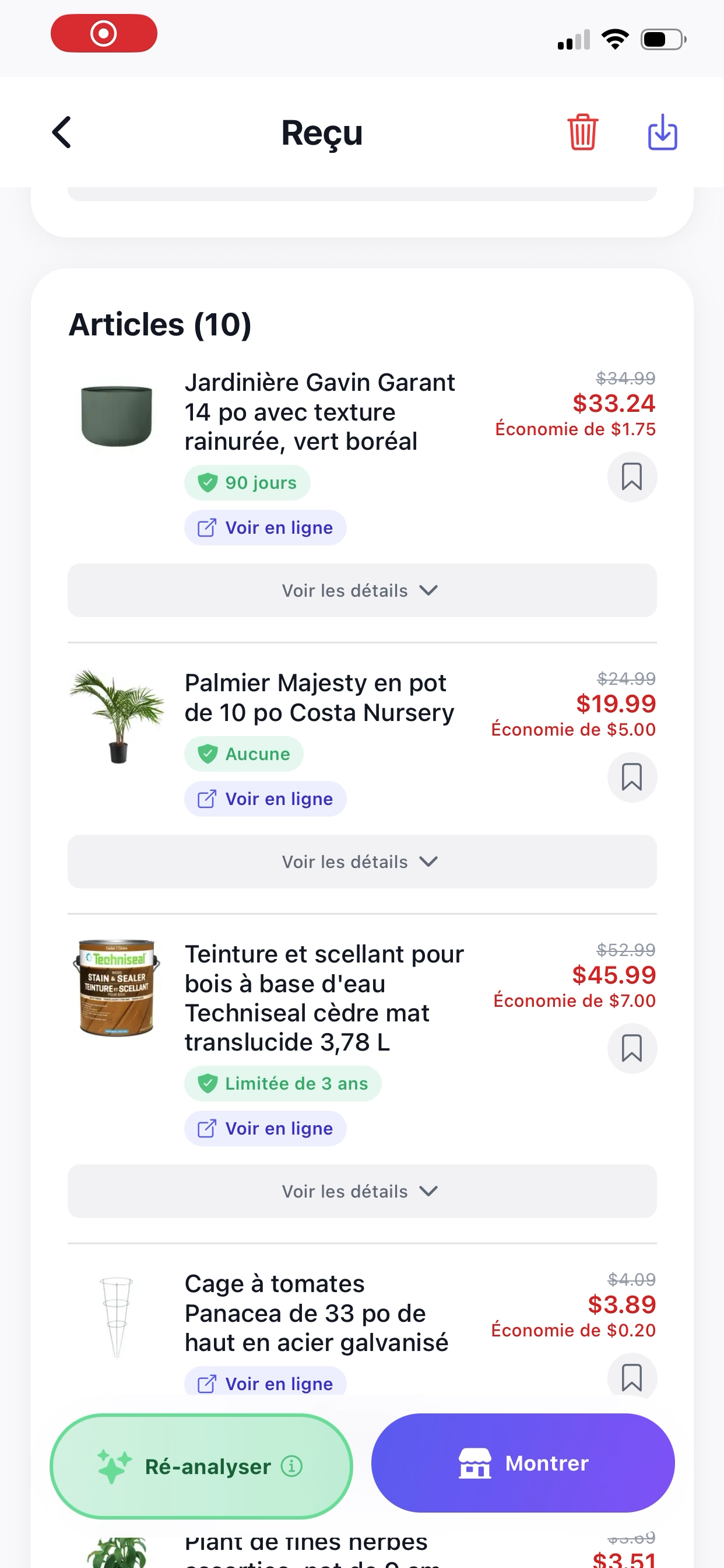
The app reads the receipt using OCR and extracts the key information. Depending on the app, you can then correct certain details, add a category, or link the receipt to a specific purchase.
In ReFound, the goal is to make the receipt easier to understand and use — not just to save it as an image.
Organize and find your receipts more easily
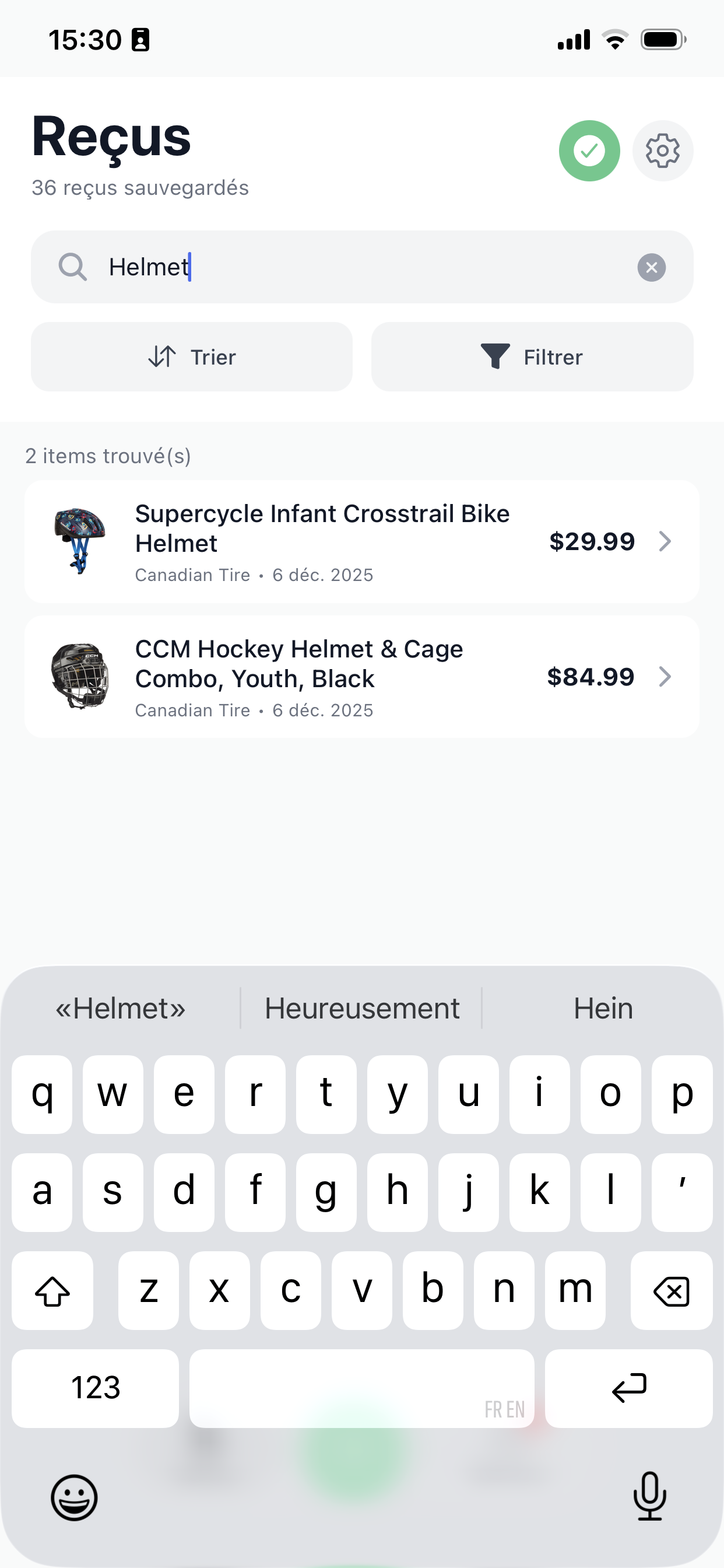
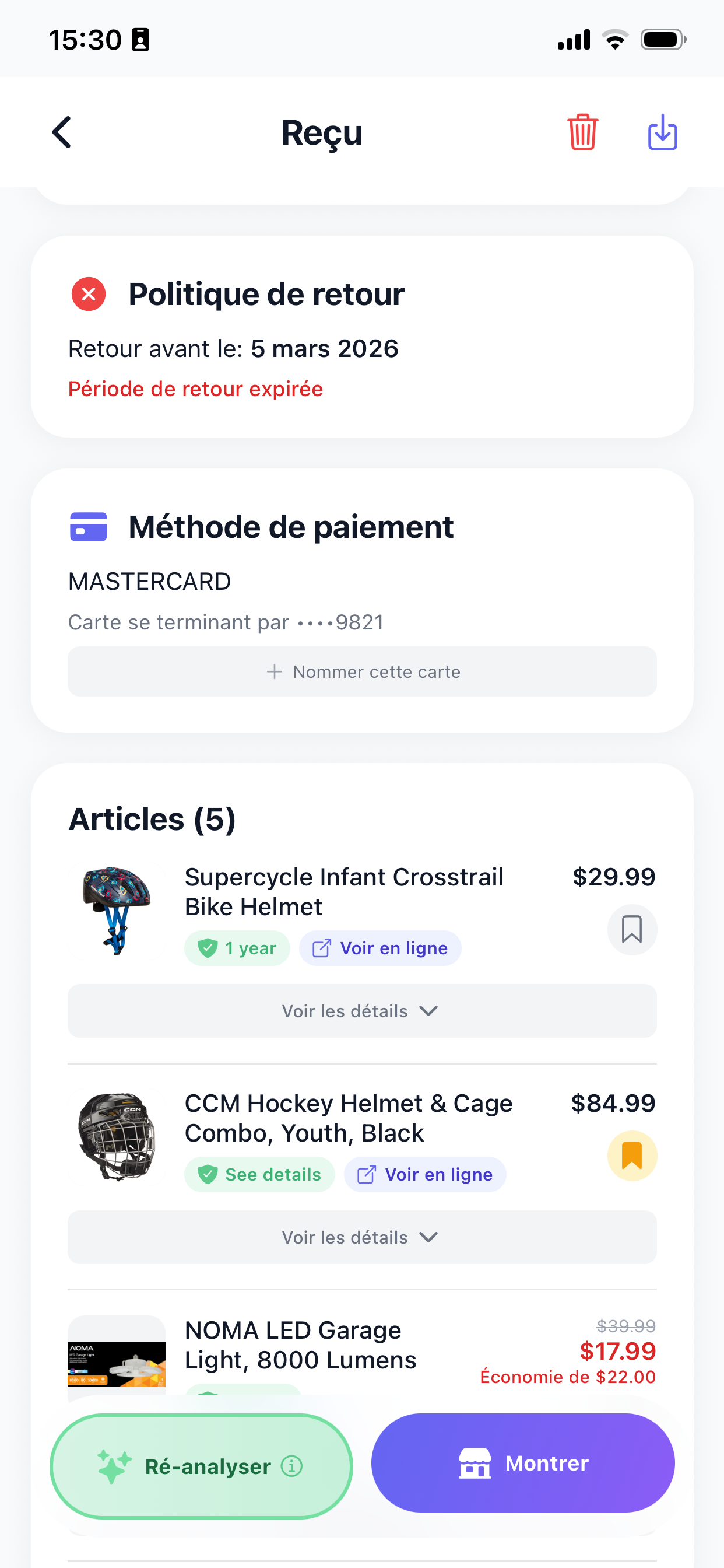
Once scanned, the receipt becomes searchable in the app. You can find it faster than a paper receipt tucked in a drawer, a bag, a glove compartment, or a wallet.
Use the receipt for a return, warranty, or tracking
The main benefit is being able to find your proof of purchase when you need it: to return a product, check a warranty, track important purchases, or keep a digital record.
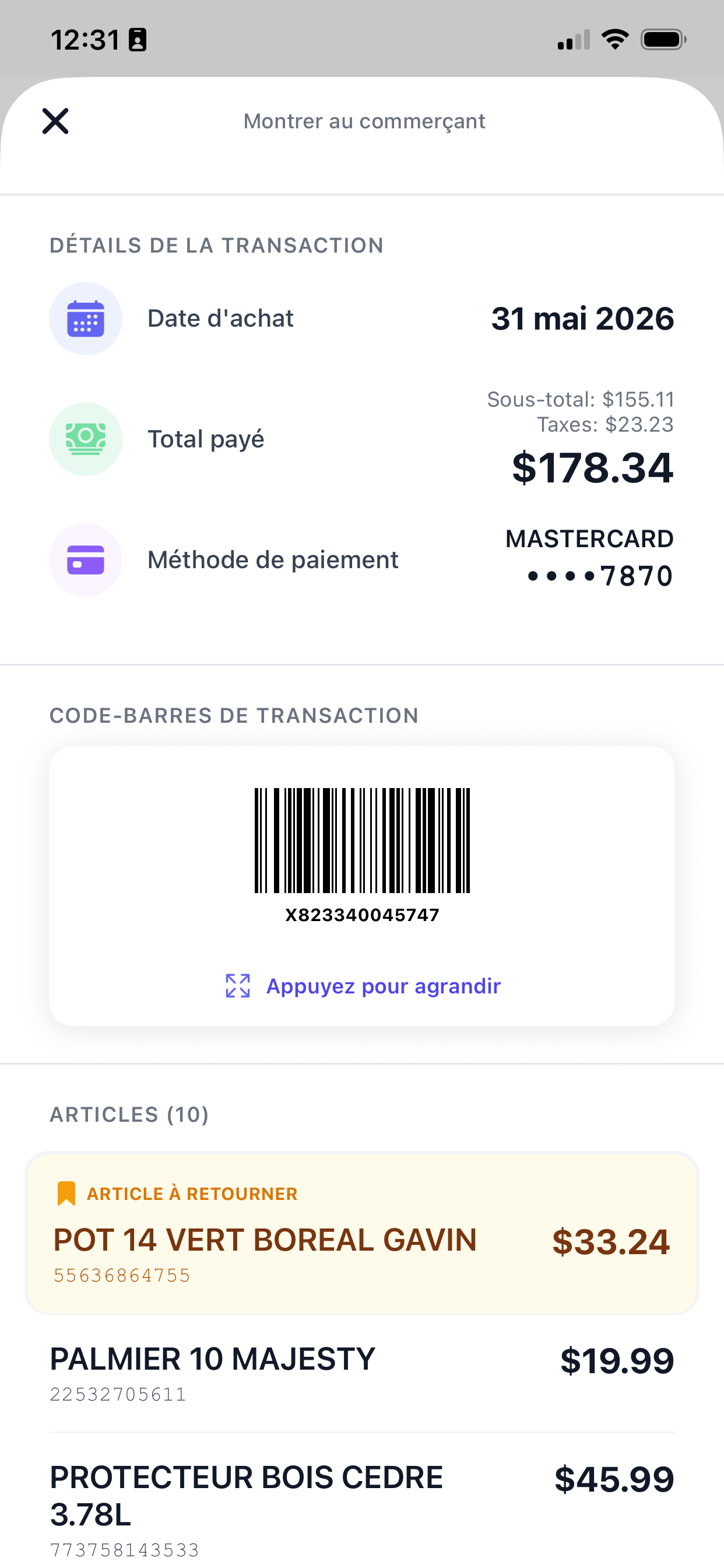
With ReFound, some receipts can also be used directly in store thanks to the return mode and reproduction of the barcode on the invoice.
Making an in-store return with just your phone
One of the great advantages of ReFound is that it doesn't just save a photo of the receipt. When a receipt contains a barcode useful for a return, ReFound can reproduce it in the app so you can present your phone at the checkout instead of digging out the paper receipt.
This is particularly handy for in-store returns: you find your receipt in ReFound, open return mode, then show the barcode directly to the employee.
You don't need to keep the original receipt in your wallet, your car, or a drawer. And if the paper receipt fades over time, you still have a digital version that's much more useful than a simple photo.
This is a feature that many receipt scanning apps don't offer, as they often limit themselves to storing an image of the receipt or extracting basic information. ReFound is instead designed to make the receipt genuinely usable at the time of return.
Which app should you use to scan receipts?
The best choice depends on your needs.
If you're looking for an app mainly for accounting, expense reports, or professional expenses, a solution like QuickBooks may be relevant. It lets you scan receipts, extract details like the supplier, amount, and date, then organize them for bookkeeping.
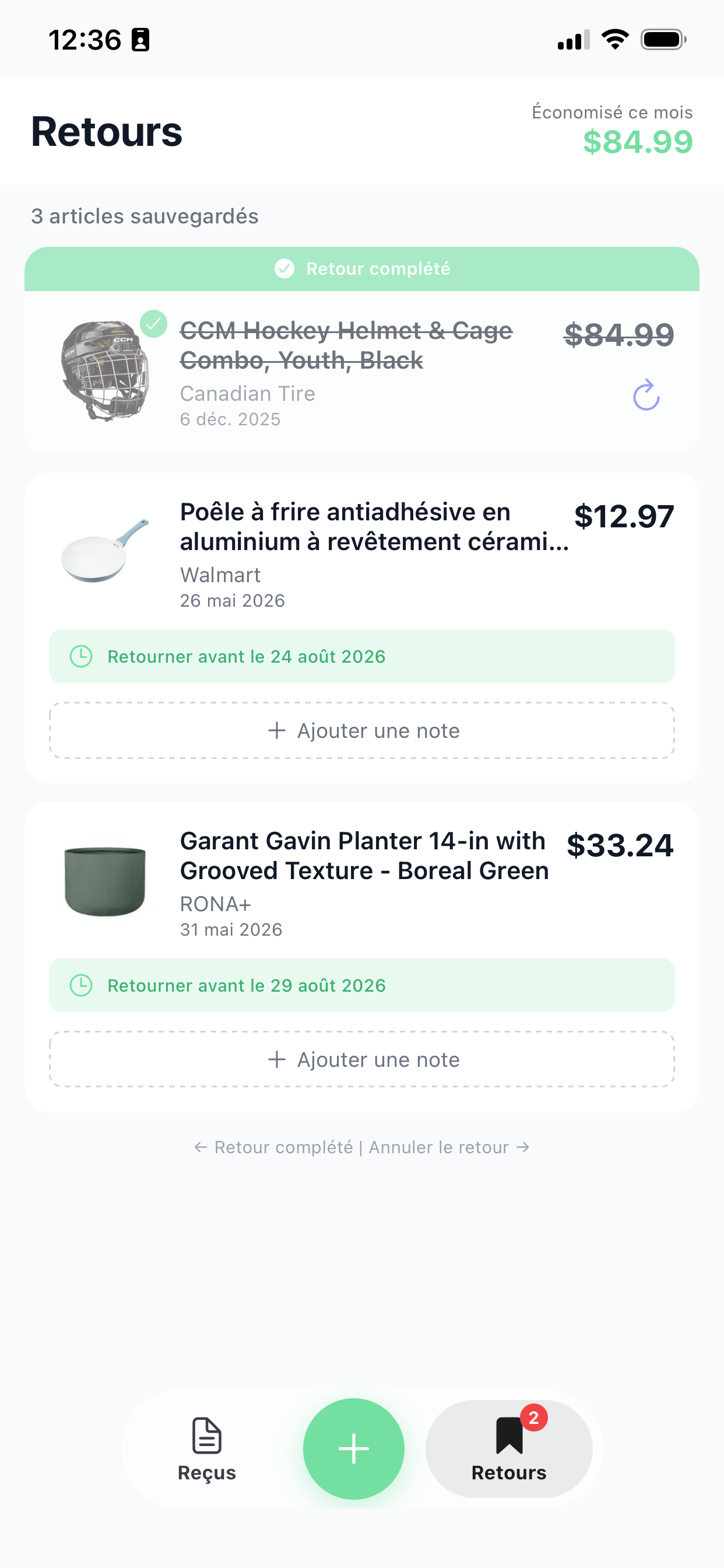
If you're looking for a simple app for your personal receipts, in-store returns, and warranties, ReFound is an option worth considering. The app is designed to transform paper receipts into more useful information: products, images, warranties, simplified search, and help with returns.
Why use ReFound to scan your receipts?
ReFound is particularly useful if you want to keep your receipts without having to manage a pile of paper that fades, crumples, or disappears.
The app helps you:
- Keep a digital copy of your receipts
- Find a proof of purchase more easily
- Complete an in-store return with just your phone
- Reproduce the barcode on certain receipts to make returns easier
- Better manage warranties
- Transform a hard-to-read receipt into clearer information
- Organize your everyday purchases
ReFound is therefore not just an app to scan a receipt. It's a way to make your receipts more useful after purchase — especially when you need to find proof, check a warranty, or return a product.
Tips for scanning a receipt properly
For best results, take the photo as soon as possible after purchase. Thermal receipts can fade over time, especially when exposed to heat, sunlight, or friction.
Also make sure the receipt is well lit, all corners are visible, and the text is not blurry.
If the receipt is very long, take several photos rather than one distant shot. This allows the app to more clearly read the key information.
Conclusion
Scanning your receipts with a mobile app saves time, prevents losses, and lets you quickly find a proof of purchase when needed.
For accounting or professional needs, apps like QuickBooks can be useful. For everyday purchases, returns, warranties, and personal receipt organization, ReFound is a mobile app designed to make receipts easier to understand, find, and use.
Its advantage is that it doesn't limit itself to storing a photo: in many cases, ReFound also lets you present the return barcode directly from your phone, which can simplify in-store returns.
Frequently asked questions
Keep reading with these related articles.
How to Choose a Receipt App: 3 Key Criteria (2026)
OCR accuracy, secure cloud storage, categories and filters: how to assess each criterion, with a comparison of the popular apps.
Read article
How to Share a Receipt With Your Partner or Family
Useful when one person is at the store but the receipt is on the other's phone.
Read article
What Is the Best Receipt App in Canada?
How to choose based on your needs: returns, warranties, search, family or expenses.
Read article
How to Return Items in Store With Your Phone
Find the right receipt, present the image and show the barcode when available.
Read article
Store Satisfaction Guarantee vs Manufacturer Warranty
The exchange window on the receipt (2 weeks to 3 months) vs the maker's warranty, specific to each product — and how to track both.
Read article
How to Keep Receipts for Warranties
Keeping proof of purchase in the right place helps you find it when it is time for a claim.
Read article
Faded Receipt: What to Do With an Unreadable Receipt
Thermal paper fades. Here is what to do and how to keep readable proof of purchase.
Read article
Best Receipt App in 2026: Why You Should Stop Managing Your Invoices Like an Accountant
An honest comparison of available tools — and why most of them were never designed for you.
Read article